 Wipkin
01
Keep priorities in view.
Give everyone the same view of the Product Goal and what matters next.
Scrum
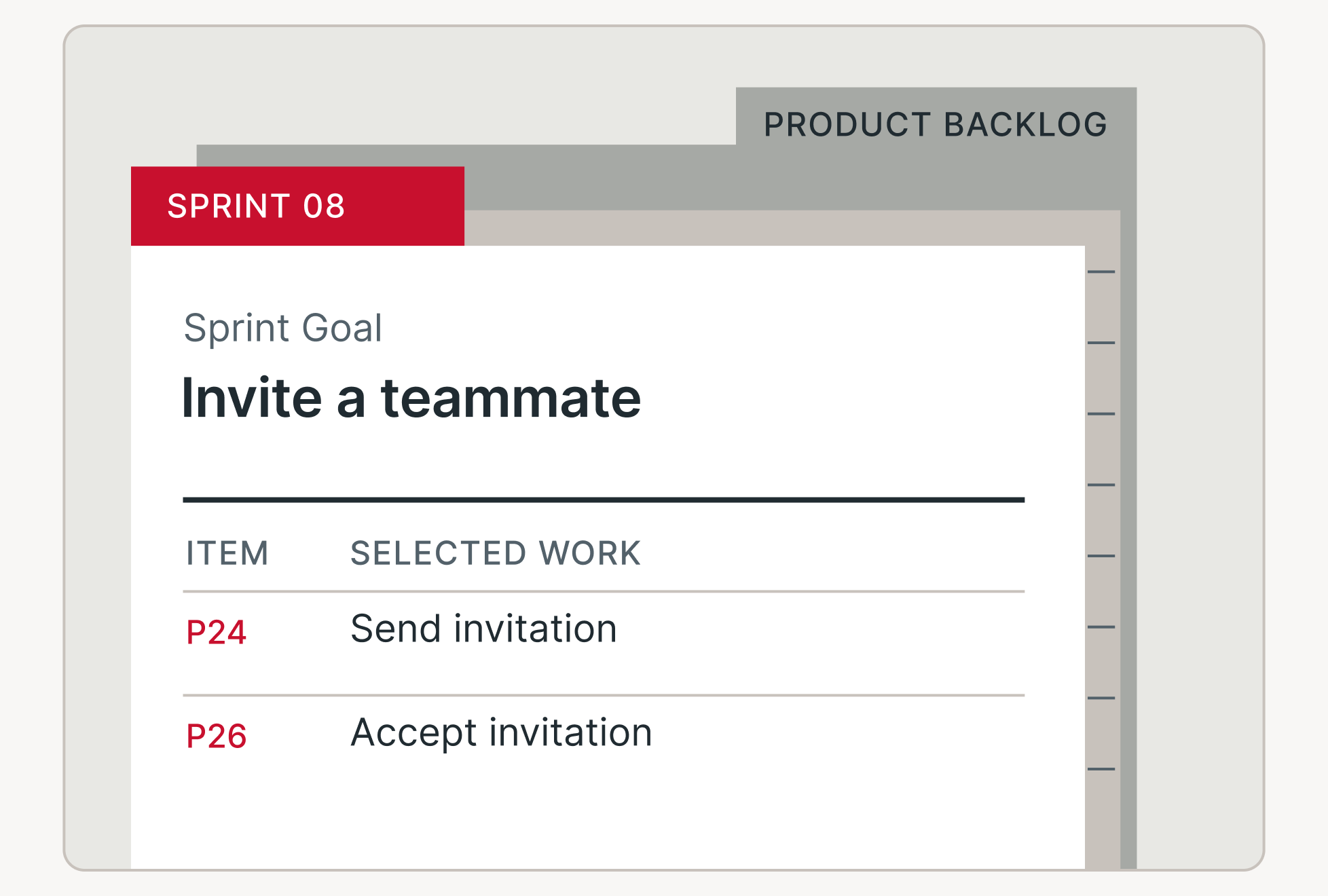
A Scrum workspace designed around the Scrum Guide, connecting the Product Goal, Sprint Goal and selected work.
01
Give everyone the same view of the Product Goal and what matters next.
02
Keep selected work and the Sprint Goal together when new information changes the plan.
03
Use feedback from delivered work to inform the next Product Backlog decisions.
From backlog to Increment
Wipkin connects Scrum’s goals, backlogs and events. Your team brings the decisions and the work.
01 / Find direction
Make the Product Goal visible and refine an ordered view of the work that could move you toward it.
02 / Make a plan
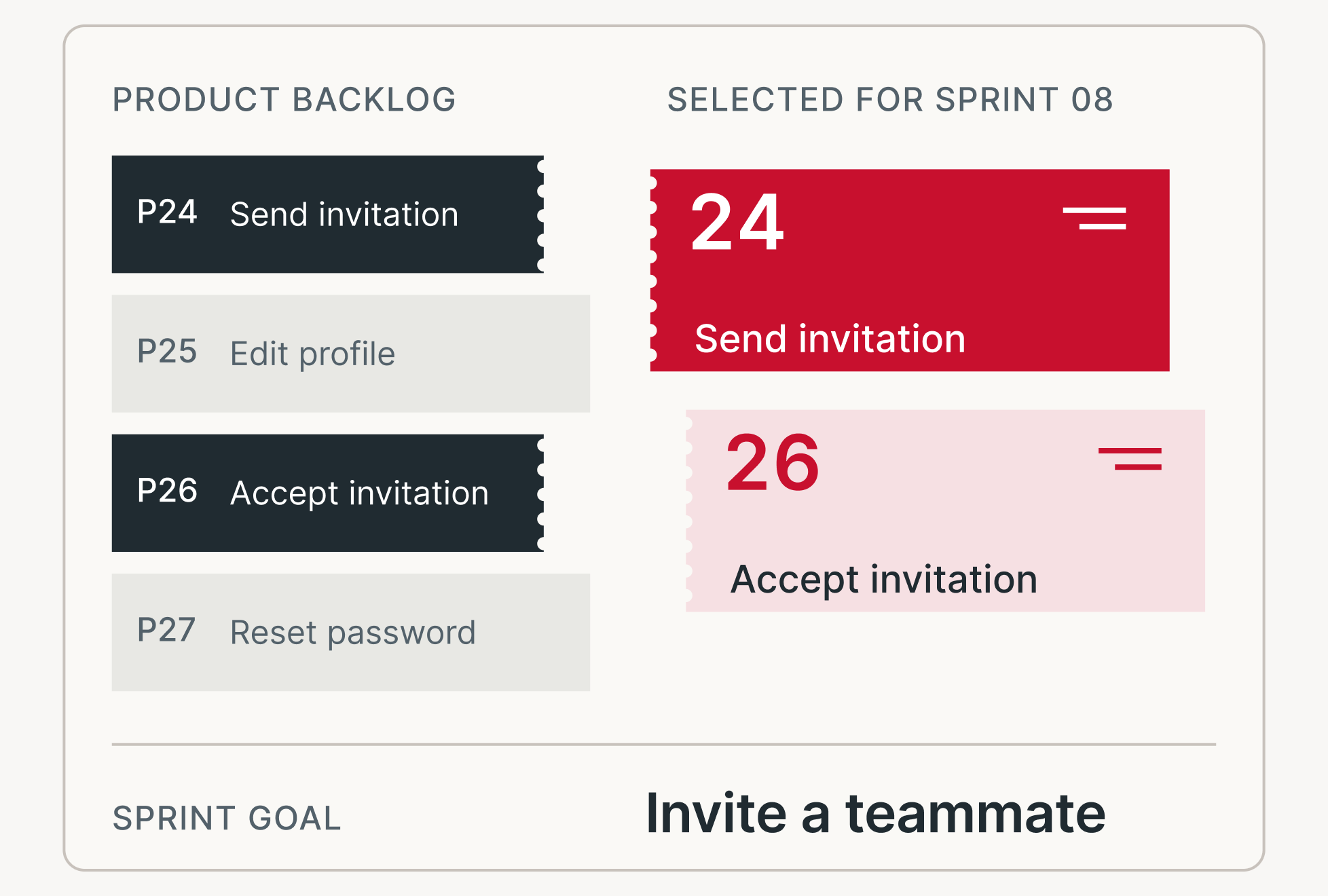
Agree on the value of the Sprint, select Product Backlog items and make a plan for delivering them.
03 / Inspect and adapt
Inspect progress toward the goal, adapt the plan and use Sprint Review feedback to inform the backlog.
In the workspace
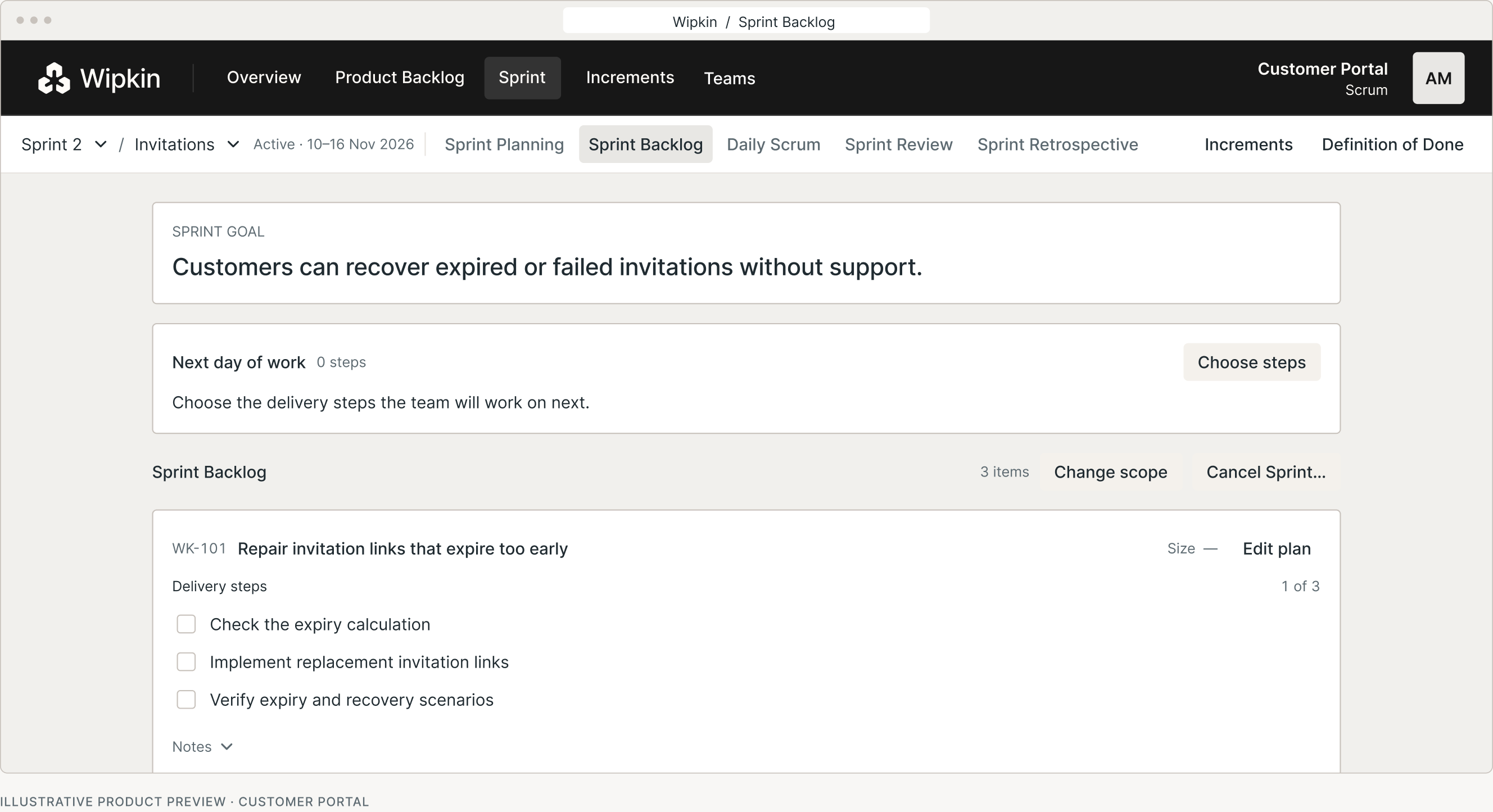
In this example, the team plans how customers will recover failed invitations without support.
Sprint Goal
Use the Sprint Goal to judge whether the next task supports the outcome.
Sprint Backlog
Update delivery steps as the team learns, while keeping the Sprint Goal in view.
Increment
Use the Definition of Done when considering whether work forms part of a usable Increment.
Built on the Scrum Guide
Keep the distinction between Scrum’s foundations, your team’s decisions and the workspace that supports them.
The foundation
Accountabilities, events, artifacts and their commitments provide a shared reference.
The team’s choice
Your team decides what to pursue, how much to select and how to deliver it.
The workspace
Keep goals, backlogs and the Definition of Done available when the team inspects and adapts.
Questions before you begin
The design brings together the Product Backlog, Sprint planning, Sprint Goal, selected work, events and Definition of Done. The workspace is built around the Scrum Guide.
Your team chooses the goal, selects the work and creates the plan. Wipkin provides a shared structure for making those decisions visible.
Yes. Scrum and Kanban are included in beta. Each project uses one method, so different teams can work in separate projects within the same organization.
The Team plan is free during beta. After beta, Team will cost $14 per person per month with a 14-day trial. See Pricing for all options.
Connect your Sprint Goal, selected work and Definition of Done.